
Ethernet W5500 Wiznet Network Module
Ethernet W5500 Wiznet Network Module has a 5-10 day lead time before dispatch. Order will only be sent once all items are available for delivery.
Ethernet W5500 Wiznet Network Module
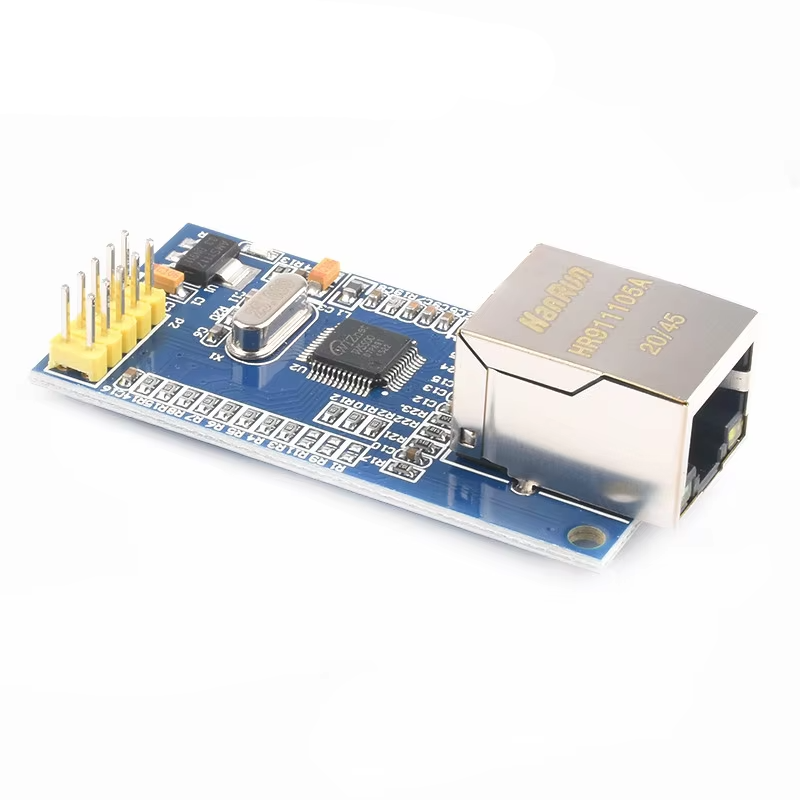
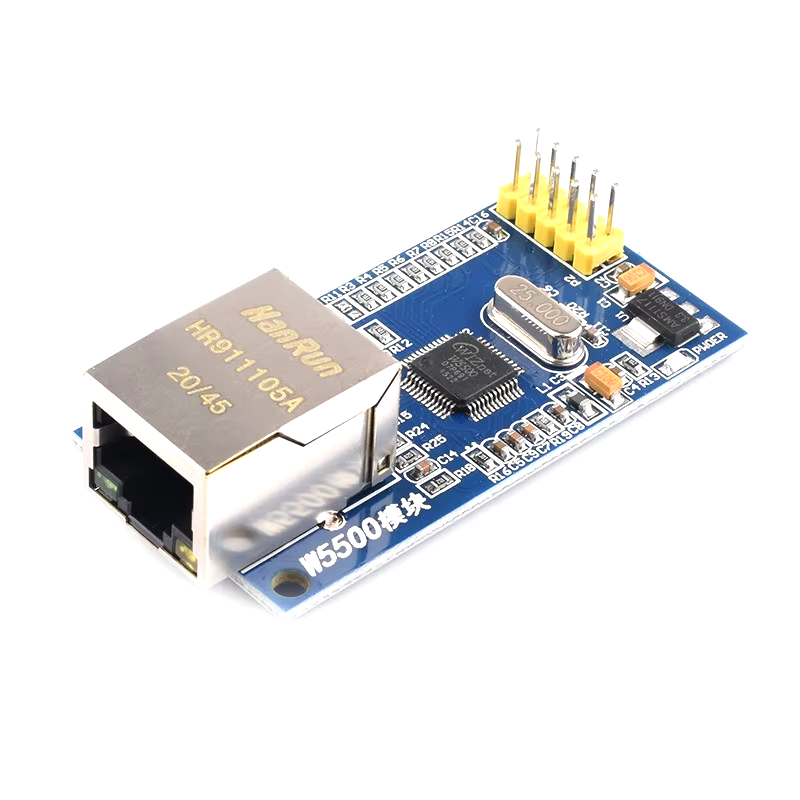
The W5500 Ethernet Module adds fast, reliable wired networking to Arduino, ESP32, STM32, Raspberry Pi Pico and other microcontrollers over SPI. It's built around WIZnet's W5500 controller, which handles the entire TCP/IP stack in hardware. Your microcontroller simply reads and writes data through up to 8 independent sockets, leaving its Flash, RAM and processing time free for your application.
With 10/100 Mbps Ethernet, SPI up to 80 MHz, 32 KB of internal buffer memory and 5 V tolerant I/O, it's a strong choice for IoT nodes, web servers, MQTT and Modbus TCP gateways, and any project where Wi-Fi isn't reliable enough.
Key Features
- Hardwired TCP/IP stack: TCP, UDP, IPv4, ICMP, ARP, IGMP and PPPoE are handled in silicon, so there's no software network stack running on your microcontroller.
- 8 simultaneous sockets: Run multiple TCP servers, clients and UDP connections at once.
- 10/100 Mbps Ethernet: Embedded MAC and PHY with auto-negotiation (full or half duplex) and auto MDI/MDIX, so standard or crossover cables both work.
- High-speed SPI: Up to 80 MHz, SPI Mode 0 and Mode 3.
- 32 KB buffer memory: Flexible TX/RX buffer allocation across sockets.
- 5 V tolerant I/O: Connects directly to 5 V boards like the Arduino Uno without level shifters.
- Low power options: Power down mode and Wake on LAN over UDP.
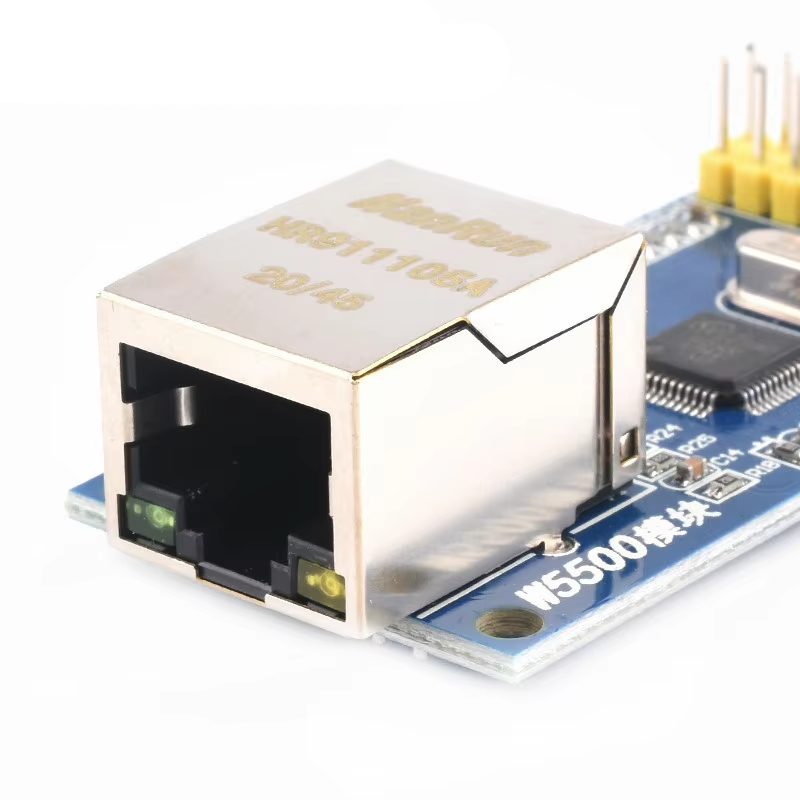
- Integrated RJ45 MagJack: Built-in isolation transformer with link and activity LEDs.
- Well supported: Works with the official Arduino Ethernet library and is supported on ESP32, RP2040 and STM32.
Specifications
| Controller | WIZnet W5500 |
| Ethernet | 10BaseT / 100BaseTX, auto-negotiation |
| Protocols | TCP, UDP, IPv4, ICMP, ARP, IGMP, PPPoE |
| Sockets | 8 simultaneous |
| Buffer Memory | 32 KB |
| Interface | SPI up to 80 MHz (Mode 0 and 3), 3.3 V logic, 5 V tolerant |
| Supply Voltage | 3.3 V via 3V3 pin, or 5 V via 5V pin (onboard regulator) |
| Current Draw | Approx. 130 mA active at 100 Mbps (allow 200 mA) |
| Connector | 2x5 pin header, 2.54 mm pitch |
| Dimensions | PCB 55.2 x 28.2 mm, 59 x 28.2 mm including RJ45 jack |
| Operating Temperature | -40 to +85 °C |
Pinout
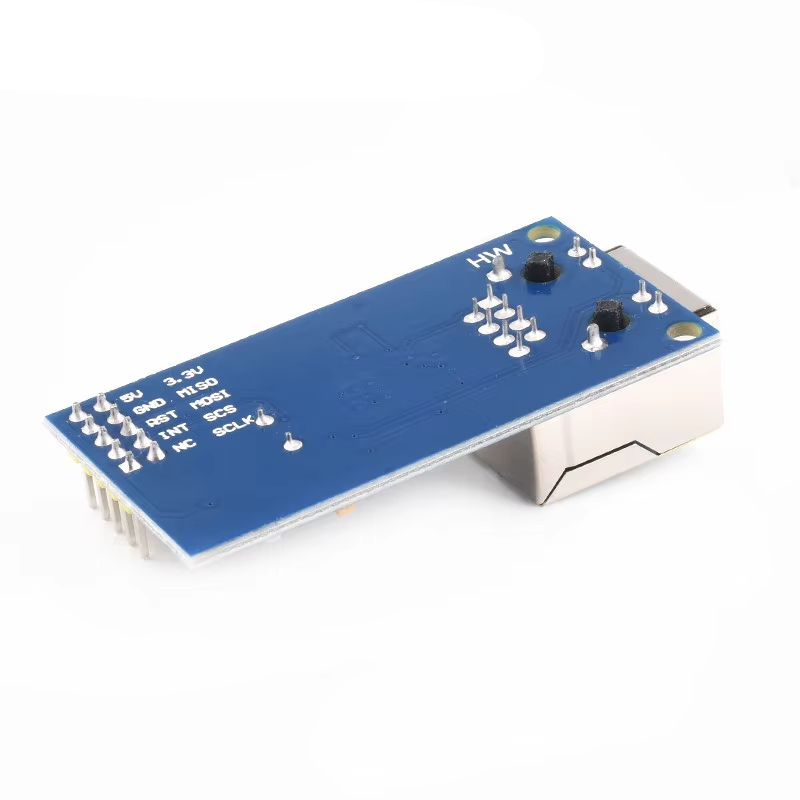
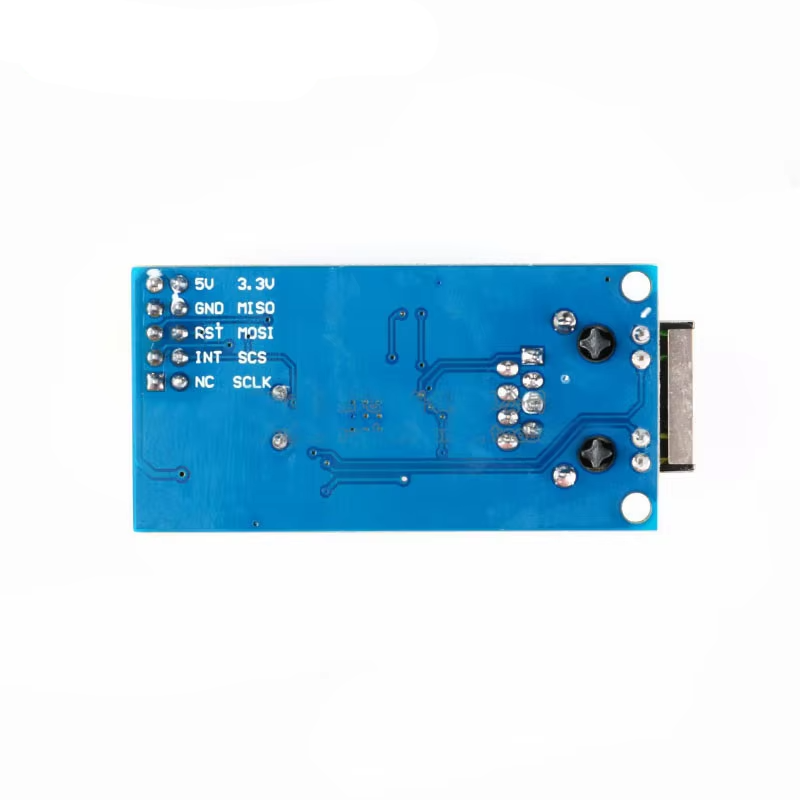
| 5V | 5 V power input to onboard 3.3 V regulator |
| 3V3 | 3.3 V power input (use instead of 5V, not both) |
| GND | Ground |
| MOSI | SPI data in |
| MISO | SPI data out |
| SCLK | SPI clock |
| CS | SPI chip select (active low) |
| RST | Hardware reset (active low, optional) |
| INT | Interrupt output (active low, optional) |
How to Use
1. Wire the module. For an Arduino Uno:
- 5V → 5V
- GND → GND
- MOSI → D11
- MISO → D12
- SCLK → D13
- CS → D10
For an ESP32, use MOSI → GPIO23, MISO → GPIO19, SCLK → GPIO18 and CS → GPIO5, and power the module from the 5V (VIN) pin.
Important: Don't power the module from the Arduino Uno's 3.3 V pin. It can only supply around 150 mA, which isn't enough for the W5500 and causes random dropouts or failure to initialise.
2. Connect a network cable from the RJ45 jack to your router or switch. The link LED lights when a connection is detected.
3. Install the library. The official Arduino Ethernet library (version 2.0 or newer) supports the W5500 and comes with the Arduino IDE. Update it through the Library Manager if needed.
4. Upload a test sketch. This gets an IP address from your router using DHCP and prints it to the Serial Monitor:
#include <SPI.h>
#include <Ethernet.h>

byte mac[] = {0xDE, 0xAD, 0xBE, 0xEF, 0xFE, 0xED};

void setup() {
  Serial.begin(115200);
  Ethernet.init(10);  // CS pin

  if (Ethernet.begin(mac) == 0) {
    Serial.println("DHCP failed");
    if (Ethernet.hardwareStatus() == EthernetNoHardware) {
      Serial.println("W5500 not found, check wiring");
    }
    while (true);
  }
  Serial.print("IP address: ");
  Serial.println(Ethernet.localIP());
}

void loop() {
  Ethernet.maintain();
}
Once you have an IP address, try the WebServer, WebClient or UDP examples included with the library.
Frequently Asked Questions
What's the difference between the W5500 and the W5100?
The W5500 has twice the sockets (8 vs 4), twice the buffer memory (32 KB vs 16 KB), a much faster SPI interface (80 MHz vs around 14 MHz in practice) and runs cooler. For new projects the W5500 is the better choice. The W5100 is mainly useful where you need its onboard SD card reader or compatibility with older shield code.
How does it compare to the ENC28J60?
The ENC28J60 only handles the physical Ethernet layer, so your microcontroller must run a full software TCP/IP stack, which uses a large share of an Uno's Flash and RAM. It's also limited to 10 Mbps. The W5500 does all of this in hardware at 100 Mbps.
Will I actually get 100 Mbps?
The Ethernet link runs at 100 Mbps, but real throughput is limited by your SPI speed and microcontroller. An Arduino Uno typically manages a few hundred KB/s, while faster boards like the ESP32 or RP2040 can reach several Mbps or more.
Does it support Power over Ethernet (PoE)?
No. The module needs a separate 3.3 V or 5 V power supply.
Can I use it with an ESP32?
Yes, and it's a good way to give an ESP32 a reliable wired connection. Alternatively, the WT32-ETH01 below combines an ESP32 and Ethernet on a single board.
Related Products
- ESP32 Ethernet Module WT32-ETH01 with LAN8720
- Ethernet W5100 Wiznet Network Module with SD Card Reader
Documentation
This product can be found here:
